THE KINDERGARTEN · ATTENDANCE
School attendance.
Every mark in context.
A register needs more than a tick. Teachers need the right class, date and student; school leaders need to know which registers are complete. The Kindergarten connects those steps in one school management workflow, with a review before attendance is confirmed.
THE WORKFLOW
From the roster to a reviewed register
The public walkthrough follows one teacher’s register into Principal and linked-parent views. It makes the difference between a draft and confirmed attendance visible, so a missing register is not mistaken for a class full of absences.
Choose the class and date
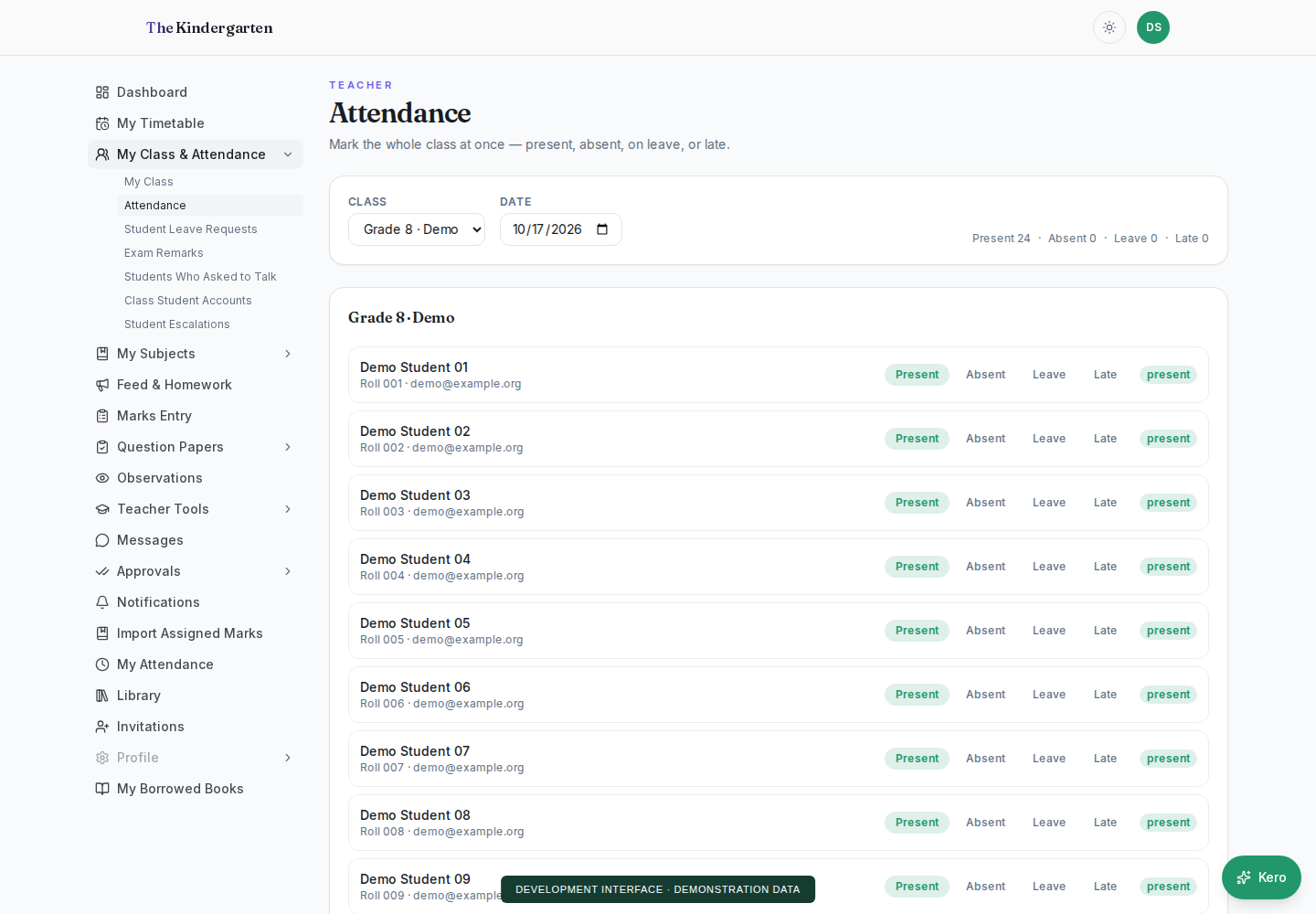
Start with a school workspace and its class roster. In the demo, switch between two fictional classes and October 2026 dates to see that each register has its own record. An unmarked pupil stays unmarked until a status is chosen.
Check every student
Choose present, absent, late or leave. A prepared approved-leave example stays protected. Review the roster before confirming, including exceptions to a whole-class request. The demo can explicitly fill sample statuses when you want a guided starting point.
Confirm, then follow the record
The review shows the proposed changes. After confirmation, switch to Principal to inspect the register, or Parent to see the linked child’s status. Changing a draft does not silently rewrite a previously confirmed register.
PEOPLE & RESPONSIBILITIES
A useful view for each role.
- Teacher
- Prepare and review attendance for the selected class.
- Principal
- Check register completion and the confirmed attendance picture.
- Parent or student
- View the fictional linked child’s attendance, rather than other pupils’ records.
BUILD AROUND YOUR WORKFLOW
Start with your school’s questions.
- Which staff members should mark each class?
- How should approved leave and late arrival be handled?
- Which dates and registers should leaders review?
Early Access starts with a school-level conversation. Available features, access and configuration are agreed during onboarding. If your school already uses a KERYX LAB product, request an addition through KERYX Mods.
BEFORE YOU EXPLORE
A few practical questions.
Can I try this without uploading student data?
Yes. The public demo uses invented pupils and browser-only records. It needs no login, spreadsheet or real student information.
Can DewDrop help prepare attendance?
The separate DewDrop demo understands supported attendance requests, asks when a student or status is ambiguous, and prepares a sample draft. Review and confirmation remain explicit steps.
Is attendance saved permanently in the demo?
No. Changes stay in that demo page and clear on reload. A school deployment has its own authorized records and an agreed onboarding scope.
FOUNDING SCHOOLS · EARLY ACCESS
Your school.
A useful next conversation.
Tell us about your school and the work you want to make easier.