KERYX LABPRIVATE LIMITED
Now onboarding founding schools

MADE FOR THE SCHOOL DAY

AI-Native
School OS

One system your whole school runs on.

The Kindergarten is AI-powered school management software for schools in Pakistan. Connect attendance, exams, fee workflows and school reports, with DewDrop alongside supported tasks. Use School OS in a browser on your existing computers and phones.

One school. Many roles. A more connected day.
A little clarity goes a long way.
The KindergartenTK

YOUR SCHOOL, IN VIEW

A clearer school day.

Illustrative preview
✓AttendanceReady to review
▤ClassworkAll in one place
A connected weekLess switching. More context.
✓
People in the right placesClear roles. Connected workflows.
Meet DewDropA helpful next step, close at hand.
THOUGHTFUL SOFTWARE. EVERYDAY POSSIBILITIES.

Built around your whole school.

School leadersTeachersOffice teamsStudents & families

THE KINDERGARTEN · DEWDROP BUILT IN

School management.
Learning. Connected.

School management software for schools in Pakistan, connecting day-to-day administration, learning workflows and role-specific access.

ONE CONNECTED PRODUCT

The school day.
With DewDrop alongside.

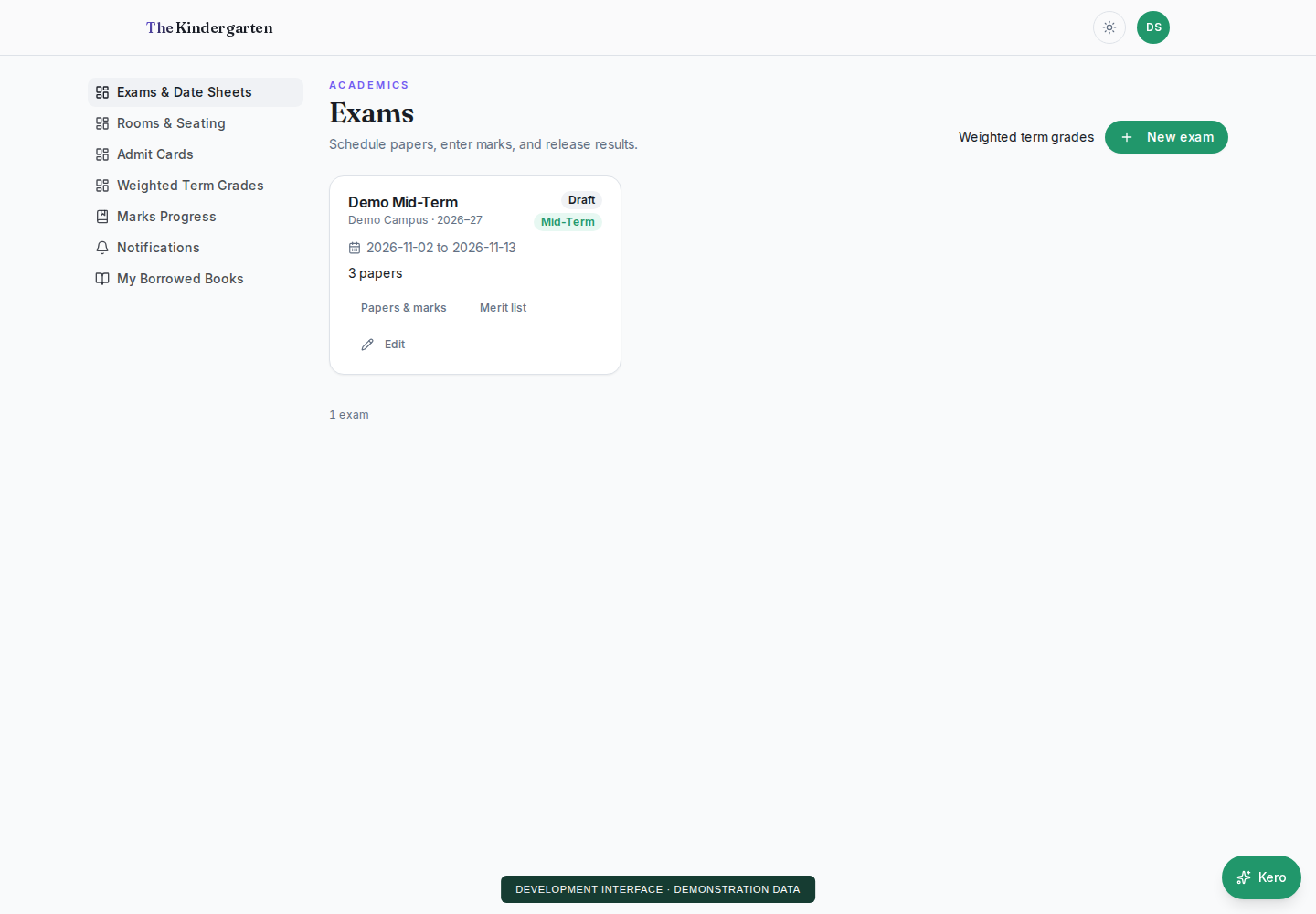
Connect academic and administrative routines in role-specific workspaces. DewDrop guides supported tasks within the user’s authorized school context.

Explore the AI-Native School OS ↗
The school day, in viewPRODUCT PREVIEW
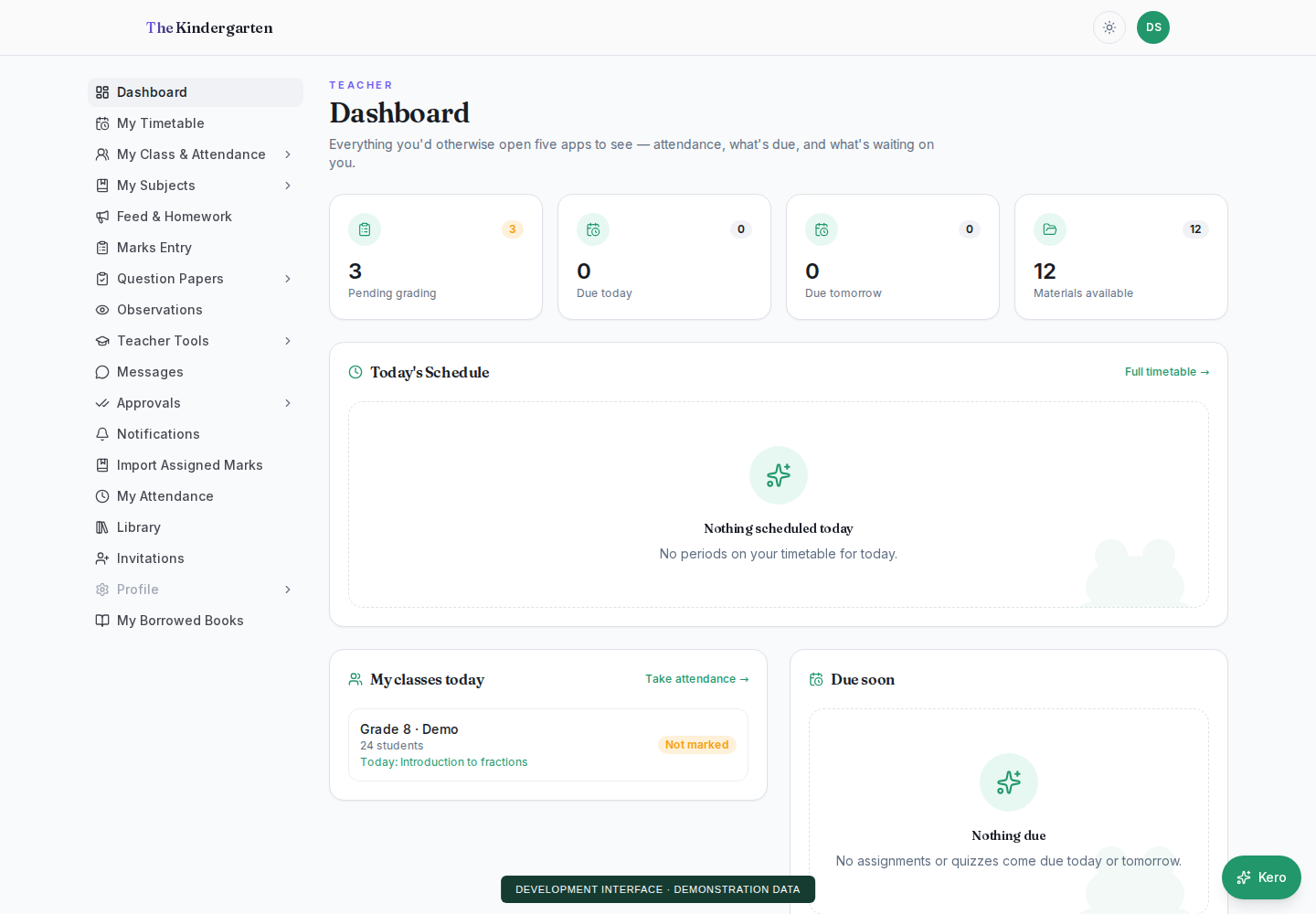
Teacher dashboard with fictional demonstration data and class tasks
Product preview · demonstration data. Open full size ↗
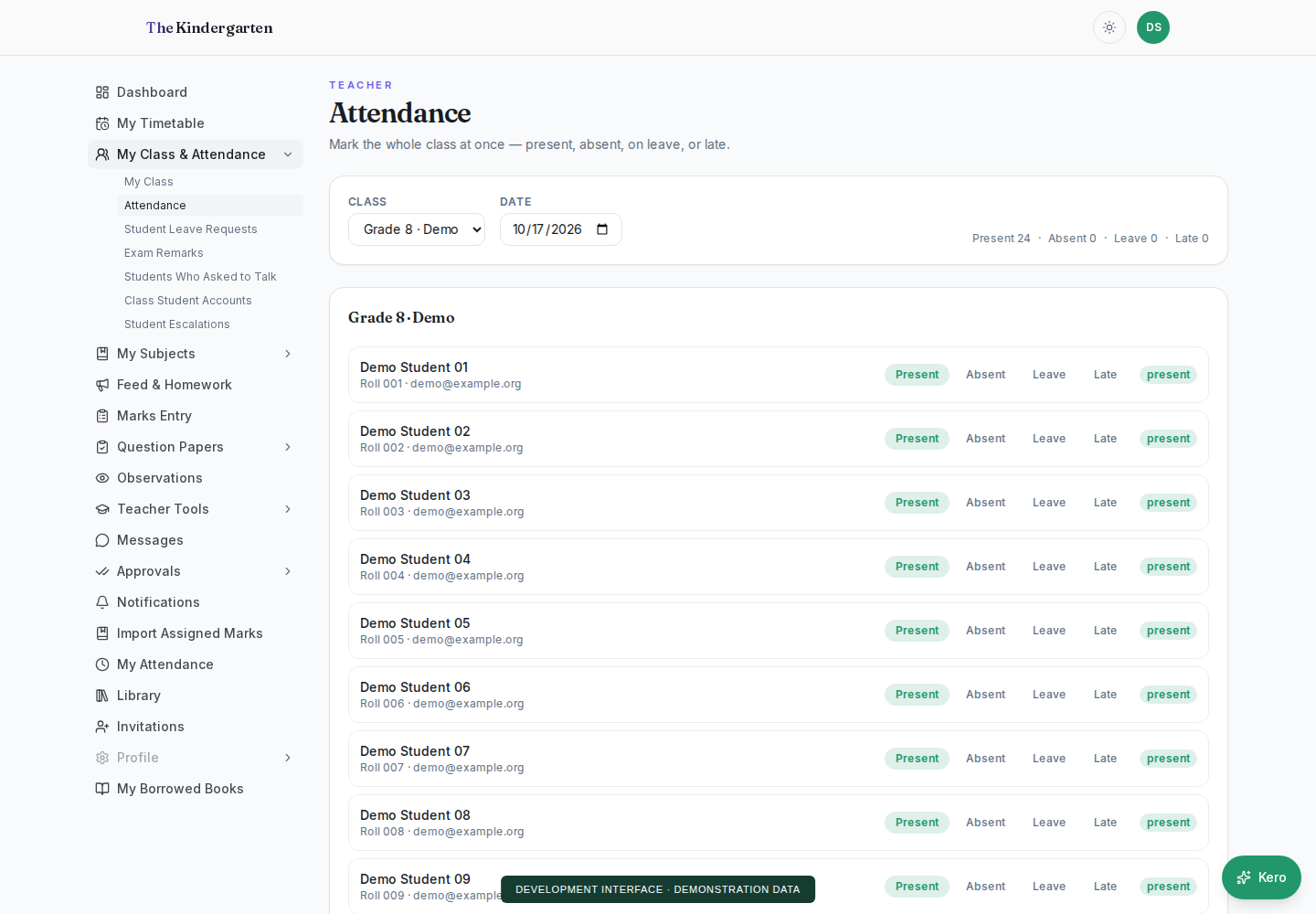
  • Attendance, classwork and assessment workflows
  • Office operations and linked family access
  • DewDrop for supported school requests
  • Existing customers can request product additions through KERYX Mods

MEET THE KINDERGARTEN

Different roles.
A shared picture.

Every school has many moving parts. Give each person a useful view of the work that belongs to them.

Explore an illustrative workflow. This is a demonstration, with no live school data.

THE KINDERGARTEN / TEACHER VIEW
More time for teaching

Your next class,
without the scramble.

Move between attendance, assignments and exam marks with the context of your own classes.

01Review your class rosterAttendance
02Share the next assignmentClasswork
03Submit marks for reviewAssessment

A CLOSER LOOK AT SCHOOL AI

Meet DewDrop.
An AI Solution
with a Purpose

DewDrop is integrated into The Kindergarten. It helps interpret supported school requests, find the authorized workflow and keep people in control of reviewed changes.

Understand the taskRespect accessReview before changes
Explore DewDrop inside School OS
DewDropInteractive workflow illustration
DEMO
Mark a student absent today
First, match the student in your authorized class. Then review the date and status before confirming the change.
You review. You confirm.

No student record is changed by this demo.

WATCH. TRY. EXPLORE.

One school.
Two ways to explore.

Use School OS screens or ask DewDrop. Both demonstrations use fictional data, need no login and keep changes in your browser tab.

THE SCHOOL WORKSPACE

School OS

Work through attendance, results, fees and reports. Switch roles to follow a record from the school office to the linked family.

Try the School OS demo ↗

WATCH THE OVERVIEW

School screens.
Assistant conversations.

See School OS and DewDrop in one captioned walkthrough, then try their separate interactive demos.

English voiceover with captions in the picture. Use the player’s volume controls for sound. Fictional public demonstrations; DewDrop uses local rules here, with no live AI model. No real school records, messages or payments are involved.
Read the video transcript

A connected school day. Welcome to Keryx Lab. Explore School O S, then see Dew Drop handle a school request.

School OS: work through school screens. Choose a workspace and role. Teachers, school leaders and families see different views.

Prepare a class register. The example fills the roster, marks Noor absent and keeps approved leave protected.

Review before confirming. Check each proposed status. The sample register changes only after explicit confirmation.

A Principal sees the confirmed register. Counts and individual statuses come from the same confirmed class register.

A parent sees the linked child. The family view shows Noor’s attendance, with no other pupils’ records displayed.

Marks follow a review and publication path. Prepared department head and Coordinator decisions illustrate the handoffs before Principal publication.

Families see published results. Noor’s Mathematics mark appears in the linked family view after the sample is published.

Fees: inspect a balance and prepare a reminder. The Accountant reviews the invoice and reminder. This demonstration sends no message or payment.

Reports connect back to the source work. Leadership can review attendance, published marks, and the outstanding sample invoice.

DewDrop: a conversation inside the workflow. This public demonstration uses local rules and fictional records. No live AI model is running here.

Ask in familiar language. English, Roman Urdu and Urdu examples lead to a scoped task rather than an unchecked change.

An ambiguous name needs a choice. “Ahmed absent today” matches more than one fictional student. Dew Drop asks which one you mean.

Clarify an exception, then review the draft. Choose Raheel's exception status. Dew Drop prepares the attendance draft for review.

A request becomes a visible change preview. Inspect the class, date and before-and-after statuses before confirming the sample task.

Confirmation stays with the person. Only this separate Dew Drop sample session changes. No live school register is updated.

Ask for a leadership summary. This scenario starts with prepared fictional snapshots, then reports their coverage, results and fees.

Follow the linked child’s result. The parent sees Noor's prepared published result, within the linked child's context.

Explore School OS and DewDrop. Visit Keryx Lab dot I O to try both separate demos and request early access.
KERYX MODS · BUILD AROUND YOUR WORKFLOW

Bring us the workflow
you want to improve.

Already using a KERYX LAB product? Use KERYX Mods to request an additional feature or extend a workflow in the product your school already uses.

Your school’s process Know Your Workflow A considered brief
Explore KERYX Mods ↗

A NOTE FROM KERYX LAB
Meet the company ↗

We believe school technology should make room for the work that matters: teaching well, learning deeply, and caring for people.

A FEW GOOD QUESTIONS

Before we talk.

Some useful context for your next step.

Read all questions ↗
What is the AI-Native School OS?

The Kindergarten is one web-based platform for school management, learning and communication, with integrated DewDrop assistance. School OS describes the connected platform for your school’s work; it runs on your existing computers and phones.

Can we start with one workflow?

Yes. Review the defined core product and choose a focused implementation scope. Once your school uses a KERYX LAB product, use KERYX Mods to request an additional feature or workflow.

Does DewDrop make changes without review?

The attendance workflow uses authorized student matching and a review-and-confirm step. What an assistant can do depends on the workflow and user’s permissions. We’ll discuss the exact scope for your use case.

What information should we prepare for early access?

Bring your school size, your city, and the main workflow you want to improve. You don’t need to share private student records to begin a conversation.

Where can I find pricing?

Public packages and pricing are not available during early access. Tell us about your school through the Early Access form.

FOUNDING SCHOOLS · EARLY ACCESS

A better school day.
Starts with your school.

Tell us a little about your school and what you would like to improve. We’ll contact you about early access to the AI-Native School OS.

No student records are needed. Please share school-level information only.

KERYX LAB (PRIVATE) LIMITED · Karachi, Pakistan

Pakistan number, for example 03001234567 or +923001234567.

Your details are only used to contact you about early access. Privacy & service providers

Loading the security check…